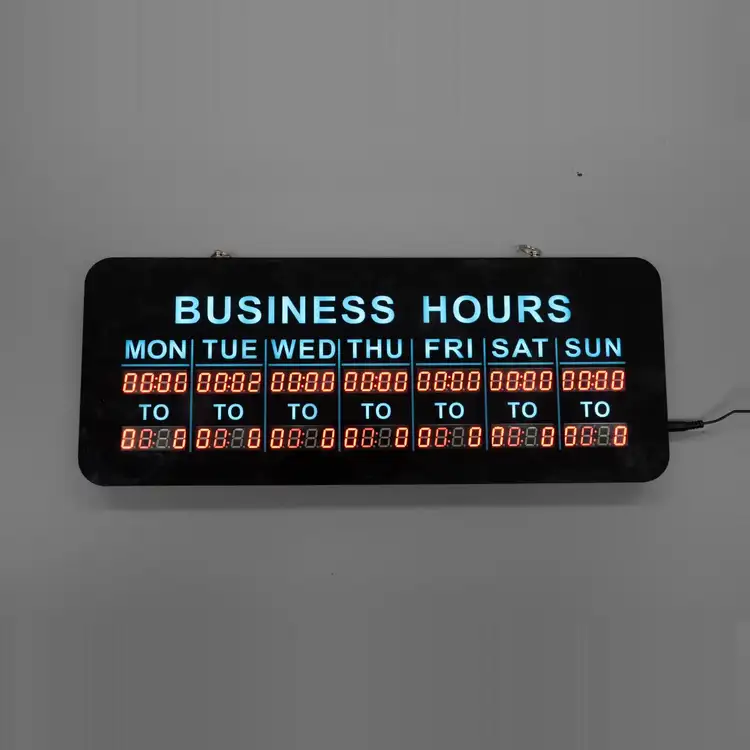
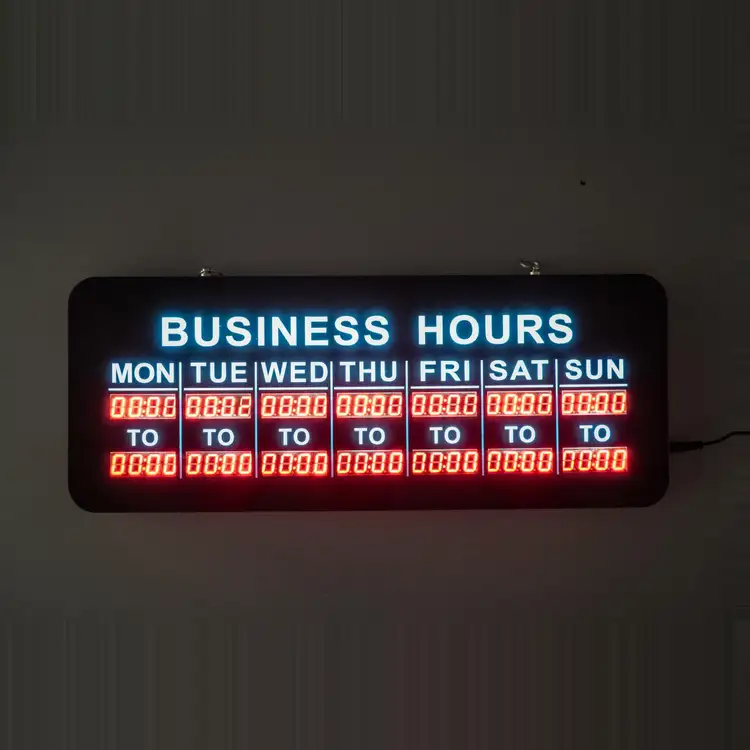
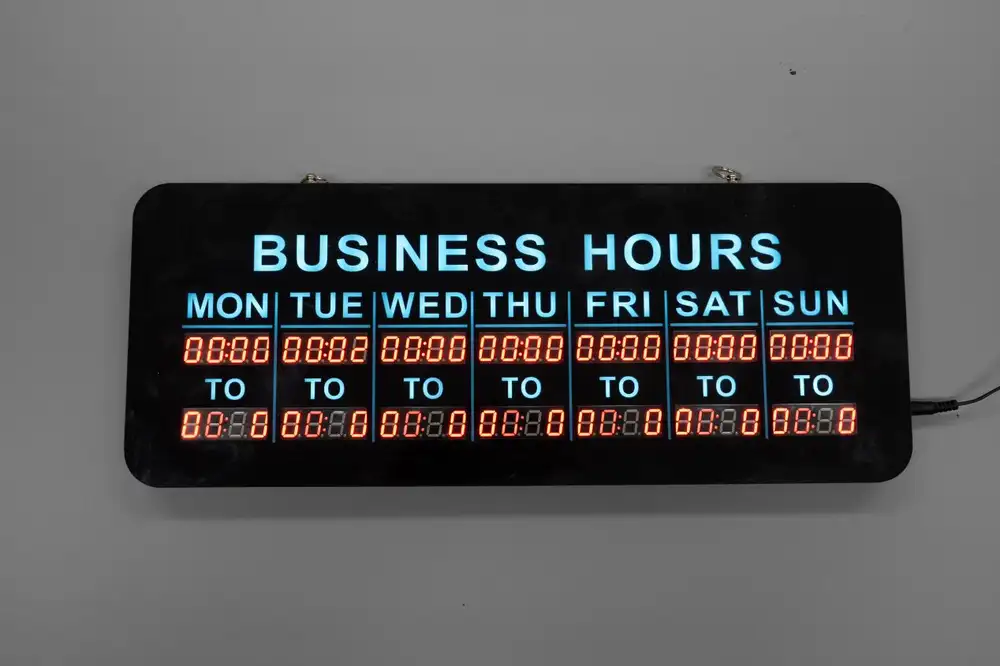
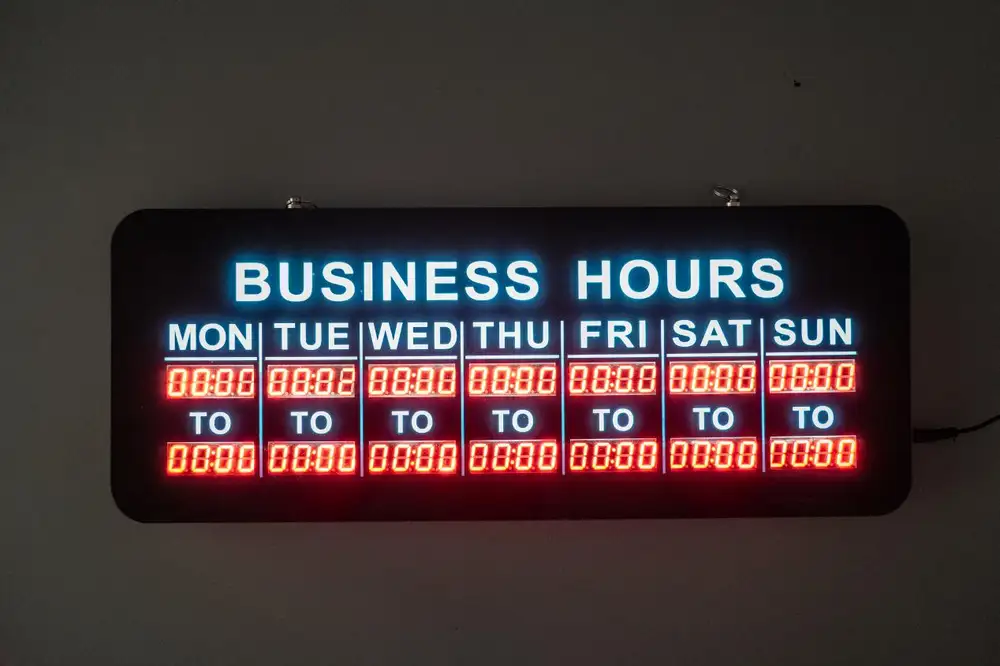
The display has seven columns, one for each day from Monday to Sunday. Each column shows a separate opening and closing time, so stores can set different hours for weekdays and weekends. Staff can change the red LED digits using the supplied infrared remote without removing the unit from the wall.
The display uses a rounded black acrylic panel with blue backlit lettering for BUSINESS HOURS, the weekday abbreviations and the word TO. Those labels are fixed on the standard panel; the numerical time fields are the adjustable part. Two metal hanging loops at the top allow wall installation, while a tabletop stand can be specified for customized orders.
|
Specification |
Details |
|
Product Type |
LED business hours display sign / programmable weekly opening-hours board |
|
Display Layout |
Seven columns: MON, TUE, WED, THU, FRI, SAT and SUN |
|
Editable Information |
Separate opening and closing time digits for each day |
|
Fixed Lettering |
BUSINESS HOURS, weekdays and TO are printed/backlit on the standard panel |
|
Panel Material |
Black acrylic with rounded corners and matte surface finish |
|
LED Colors |
Blue for fixed illuminated text; red for digital time numerals |
|
Display Components |
Blue LED light modules, red seven-segment LED displays, DC 12V driver and remote receiver |
|
Power Adapter Input |
AC 220V for the standard adapter |
|
Power Adapter Output |
DC 12V |
|
Built-in Battery |
None; external adapter required |
|
Power Cable |
2 m DC power cable supplied as standard |
|
Control |
Infrared remote control for setting each day’s times and switching the backlight |
|
Installation |
Wall hanging via two top metal loops; optional tabletop base |
|
Dimensions |
Available in customer-specified sizes; standard measurements available on request |
|
MOQ |
100 pcs for the standard model |
1. Choose the day. The panel organizes the week into separate MON–SUN columns, so visitors can check the schedule for a specific day at a glance.
2. Set the hours. Use the infrared remote to adjust the opening and closing time values for the selected day. Each column can have a different time range.
3. Keep the lettering consistent. The standard BUSINESS HOURS title, weekday names and TO separators remain fixed; only the red time digits change during regular use.
4. Update when the schedule changes. The remote allows store staff to revise weekend, seasonal or temporary business hours without removing the panel or changing a printed insert.
• High-contrast two-color layout. Blue lettering identifies the schedule and weekdays, while red LED numerals distinguish the hours. The red time fields stay distinct from the blue weekday labels.
• Integrated acrylic front. The black acrylic is CNC-cut with rounded corners. Backlit printed lettering and fitted numeric modules create a tidy, single-panel appearance rather than a removable poster design.
• Simple wall installation. The two pre-installed metal hanging loops allow the unit to be suspended without a large wall bracket. A desktop configuration is available as a customization.
• Externally powered display. The included power arrangement converts AC 220V to DC 12V. The sign does not have an internal battery and must remain connected to an appropriate adapter while in use.
• Retail and convenience stores. Display weekly trading hours near entrances, interior service counters or shop windows.
• Restaurants and cafes. Show regular lunch, dinner or weekend opening schedules where operating hours differ by day.
• Beauty and service businesses. Useful for nail salons, beauty studios and other appointment-based locations with variable weekly hours.
• Offices and reception areas. Communicate public visiting hours or front-desk opening times in a compact, easy-to-read format.
• Language and weekly layout. The fixed title can be produced in another language, and the number of weekday columns can be changed during manufacturing.
• Panel and digit format. Acrylic color, overall dimensions and the size of the digital time displays can be customized.
• Lighting options. LED display colors can be changed, and dimming can be added to a custom configuration.
• Mounting and power accessories. Optional tabletop stands and country-specific plug/adapter arrangements can be discussed for destination markets.
• OEM packaging. Custom printed color boxes and export packaging configurations are available for wholesale or private-label projects.
|
Purchase Detail |
Available Arrangement |
|
Minimum Order Quantity |
100 pcs (standard model) |
|
Sample Production |
7–10 days (confirm for each order) |
|
Bulk Production |
10–20 days (confirm for each order) |
|
Sample Fee |
May be credited against a subsequent bulk order by agreement |
|
Export Packaging |
OPP protective bag, EPE foam corner protection and five-ply export carton |
|
Packaging Customization |
OEM color box available |
|
Optional Accessories |
Infrared remote control and wall-mounting expansion screws/hardware |
Incoming inspection covers acrylic panels, LED displays, LED strips, power adapters, driver boards and infrared receiving modules. Assembly checks include cutting and edge finishing, printing, wiring, digital segment operation and remote-control response. Completed signs undergo a 24-hour power-on aging test, followed by AQL sampling inspection before shipment.
The LED Day Calendar Display Sign is listed as meeting CE and RoHS requirements. Factory audit documents for SMETA, BSCI and ISO 9001 can be provided, and SGS or BV third-party inspection is supported. Adapter certifications should be checked against the requirements of the destination market.
Yes. The infrared remote allows the opening and closing time fields to be adjusted separately for Monday through Sunday.
No. On the standard product, BUSINESS HOURS, the day names and TO are fixed printed/backlit elements. Only the numerical time displays are editable during use. A different language or layout can be specified for a custom production order.
No. The display uses an external AC 220V-to-DC 12V adapter and has no built-in battery.
No. The supplied infrared remote is used to adjust the time fields while the sign remains installed.
Wall mounting is the standard setup. A tabletop base can be added for a customized version.
Yes, with a suitable external power adapter connected. There is no built-in battery, so the sign needs a continuous power connection while illuminated.
Yes. Options include different title languages, panel colors, LED colors, digit sizes and weekly column layouts for bulk orders.
The described applications are indoor entrances, windows, counters and similar commercial locations. No outdoor waterproof rating is specified; installation conditions should be confirmed before ordering for exposed areas.
For quotation or sampling, please share your required panel size, display language, weekly column layout, LED colors, mounting method, destination-market plug specification, packaging needs and target order quantity.
Address
B106-109, Qingshuiqiao Road, Hi-Tech Zone, Ningbo, China
Tel